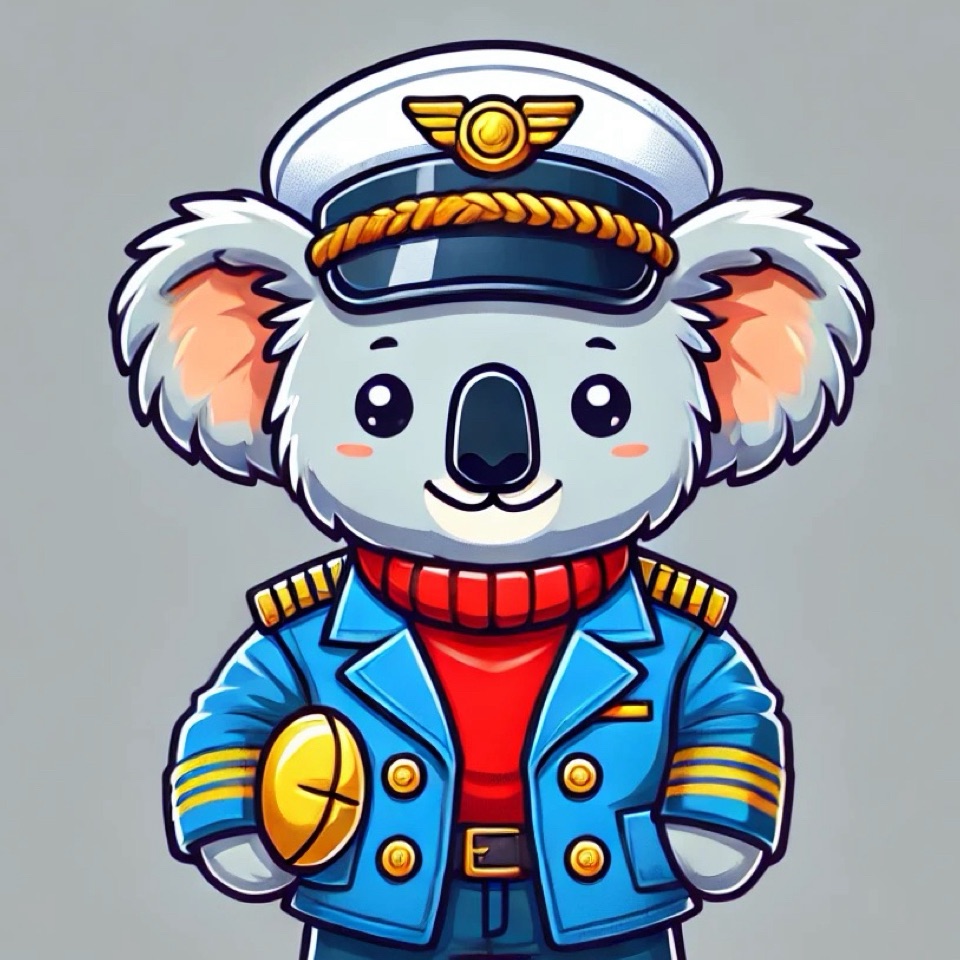

Publishing your own book is an exciting journey, and with platforms like Amazon, it’s never been easier to share your stories with the world. As we prepare to publish our first Captain Pillowbelly book, we wanted to share the detailed steps we’re taking to get it ready for Amazon Kindle. From writing and formatting to creating eye-catching covers, the process of publishing an ebook involves a lot of moving parts. Here’s a step-by-step guide on how we’re preparing for the launch of Captain Pillowbelly’s adventures and what you can expect if you’re looking to self-publish on Amazon as well.

Step 1: Finalizing the Content
The first step in preparing our ebook for publication was ensuring that the story content was finalized. We’ve spent months drafting and refining Captain Pillowbelly’s adventures, making sure each story captures the excitement and wonder of his travels.
At this stage, we:
- Reviewed all the stories for flow, clarity, and consistency.
- Checked the text for grammar and spelling errors.
- Made sure each story fits the tone and voice of Captain Pillowbelly, keeping it fun, adventurous, and kid-friendly.
Once we were confident the stories were polished, it was time to move on to formatting.
Step 2: Formatting the eBook for Kindle
Formatting your ebook correctly is essential to ensure it looks professional and reads smoothly on Kindle devices. Amazon offers specific guidelines for ebook formatting, so we followed these to make sure the stories appear clean and organized.
Here’s how we handled the formatting:
- Page Layout: We structured each story with clear chapter breaks and a consistent style. Kindle allows for different font sizes and spacing, so we made sure the text was easy to read, especially for younger readers.
- Images: Since Captain Pillowbelly is an illustrated book, we focused on integrating the images seamlessly within the text. Each story has accompanying illustrations that bring the adventure to life. We ensured the images were high-quality and properly sized for Kindle screens.
- Table of Contents: For ease of navigation, we created a clickable table of contents that allows readers to jump to their favorite stories.
Amazon Kindle uses a specific format (MOBI), so after formatting the text and images, we converted the document into the appropriate file type using a tool like Kindle Create, which makes the conversion process easy.
Step 3: Designing the Book Cover
The cover of your ebook is one of the most important elements, as it’s the first thing potential readers will see. For Captain Pillowbelly, we wanted a cover that was visually appealing, playful, and representative of the character’s adventures. Since the story is aimed at children, it was crucial to create a colorful and fun design that would capture the imagination of both kids and their parents.
Here’s what we did to create the cover:
- Character Integration: We used Captain Pillowbelly as the central character on the cover, making sure his look was consistent with the illustrations inside the book.
- Flag Elements: Since each story is based on Captain Pillowbelly’s travels, we integrated country flags into the design, adding a global travel theme.
- Title and Font: We chose a bold, playful font that would be easy to read on both small and large devices. The title needed to stand out while still fitting with the overall design.
- Tools: We used design tools like Canva and Adobe Illustrator to bring the cover to life, ensuring the image met Amazon’s cover size requirements (typically 1600 x 2560 pixels).
Step 4: Setting Up an Amazon KDP Account
To publish on Amazon, we needed to set up an account with Kindle Direct Publishing (KDP), Amazon’s platform for self-publishing ebooks. The setup process is straightforward and involves providing your personal information, payment details, and tax information so that you can earn royalties from your ebook sales.
Steps to set up a KDP account:
- Create an Amazon KDP account if you don’t already have one.
- Fill in payment and tax information to receive earnings from book sales.
- Familiarize yourself with KDP’s royalty options, including pricing your ebook and choosing whether you want to enroll in KDP Select (which gives you exclusive access to promotional tools but limits where else you can publish).
Step 5: Uploading the eBook
Once our content was ready and our KDP account was set up, the next step was to upload the ebook to the Amazon platform. The process is quite simple, but there are a few important steps to pay attention to.
Uploading steps:
- Title and Description: We entered the title of the book and wrote a short description of Captain Pillowbelly’s adventures. This description is key because it helps potential readers understand what the book is about and encourages them to make a purchase.
- Choose Keywords: Amazon allows you to add up to 7 keywords or phrases that people might use to search for your book. We carefully chose keywords related to children’s bedtime stories, travel adventures, and koalas to help increase visibility.
- Categories: Selecting the right categories is important because it helps readers find your book. We placed Captain Pillowbelly in the appropriate children’s book categories, such as “Children’s Fiction” and “Animals & Pets.”
- Upload Files: We uploaded the formatted MOBI file for the ebook and the cover image.
- Set Pricing: We selected our royalty options (either 35% or 70%) and decided on the price for the ebook. It’s important to price competitively, so we researched similar children’s books to determine a fair price for Captain Pillowbelly.
Step 6: Promoting the Book
Once the ebook is published on Amazon, the next step is marketing and promotion. Amazon KDP offers several promotional tools, including KDP Select, which allows you to run free book promotions or discounted sales.
For Captain Pillowbelly, we’re planning the following promotional activities:
- Social Media Marketing: We’ll use social media platforms like Instagram and Facebook to share the news of our ebook launch, showcasing the adorable character of Captain Pillowbelly and his adventures.
- Blog Posts: We’ll continue to update our blog with posts about the writing and publishing process, as well as share behind-the-scenes stories from Captain Pillowbelly’s adventures.
- Friends and Family: Encouraging friends and family to buy the book and leave reviews will help increase visibility and credibility on Amazon’s platform.
Final Thoughts: The Journey to Publishing
Self-publishing a children’s book like Captain Pillowbelly has been a learning experience, full of exciting challenges and opportunities. While the process may seem daunting at first, breaking it down step-by-step has made it manageable. From finalizing the content and formatting to designing the cover and preparing for promotion, each part of the journey has brought us one step closer to sharing Captain Pillowbelly’s stories with the world.
As we near the launch, we’re excited to see how the book will be received, and we hope our experiences inspire others looking to publish their own stories. Stay tuned for updates on our official release and more adventures from Captain Pillowbelly!

 Captain Pillowbelly's Adventures